
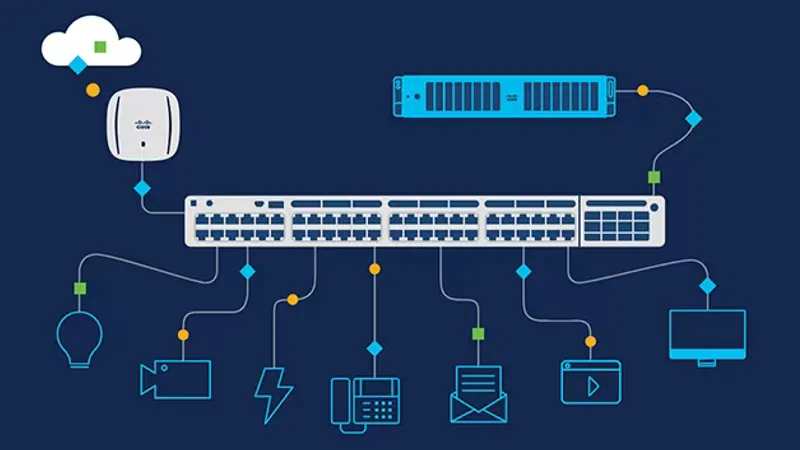
Cisco is a leading provider of networking solutions, known for its robust networking equipment and technologies. This guide will introduce you to the basics of networking using Cisco devices.
1. What is Cisco Networking?
Cisco networking involves the design, implementation, and management of computer networks using Cisco hardware and software. Cisco’s solutions cover a wide range of network types, from local area networks (LANs) to wide area networks (WANs).
Key Concepts
-
Routing and Switching: Cisco routers and switches form the backbone of network infrastructure, routing data packets efficiently and connecting devices.
-
Network Security: Cisco offers security appliances to protect networks from threats and unauthorized access.
-
Network Management: Cisco provides tools for monitoring, configuring, and troubleshooting networks.
2. Basic Network Terminology
Understanding fundamental networking terms is crucial before diving into Cisco equipment.
IP Addressing
An IP address is a unique identifier assigned to each device on a network.
Subnetting
Subnetting divides a larger network into smaller, manageable sub-networks.
MAC Address
A MAC address is a hardware address assigned to network interfaces.
3. Cisco Devices
Cisco offers various devices to build and manage networks.
Cisco Routers
Routers connect different networks and determine the best path for data to travel.
Cisco Switches
Switches connect devices within a network and improve data transfer efficiency.
Cisco Firewalls
Firewalls protect networks by controlling incoming and outgoing traffic.
4. Basic Configuration
Accessing Devices
Use protocols like SSH or Telnet to access and configure Cisco devices.
Command Line Interface (CLI)
Configure devices using the CLI, which involves entering commands to modify settings.
Router> enable
Router# configure terminal
Router(config)# interface GigabitEthernet0/1
Router(config-if)# ip address 192.168.1.1 255.255.255.0
Router(config-if)# no shutdown
5. Routing
Routing directs data between networks. Cisco routers use routing protocols to determine paths.
Static Routing
Manually configure routes on routers.
Dynamic Routing
Routers exchange routing information using protocols like OSPF or EIGRP.
6. Network Security
Cisco emphasizes network security to protect against unauthorized access and data breaches.
Access Control Lists (ACLs)
ACLs filter traffic based on defined criteria.
Virtual Private Networks (VPNs)
VPNs create secure connections over public networks.
7. Cisco Certification
Cisco offers a range of certifications for networking professionals.
CCNA (Cisco Certified Network Associate)
A foundational certification covering networking fundamentals.
CCNP (Cisco Certified Network Professional)
A more advanced certification focused on in-depth network implementation and troubleshooting.
Conclusion
Cisco’s networking solutions are a cornerstone of modern communication. This guide provides an overview of key concepts and terminology in the world of Cisco networking. By familiarizing yourself with these basics, you’ll be better prepared to dive into Cisco’s rich ecosystem of networking technologies.
For more comprehensive learning and hands-on experience, consider exploring Cisco’s official training resources and certifications.
Comments

About Blake Maxwell