
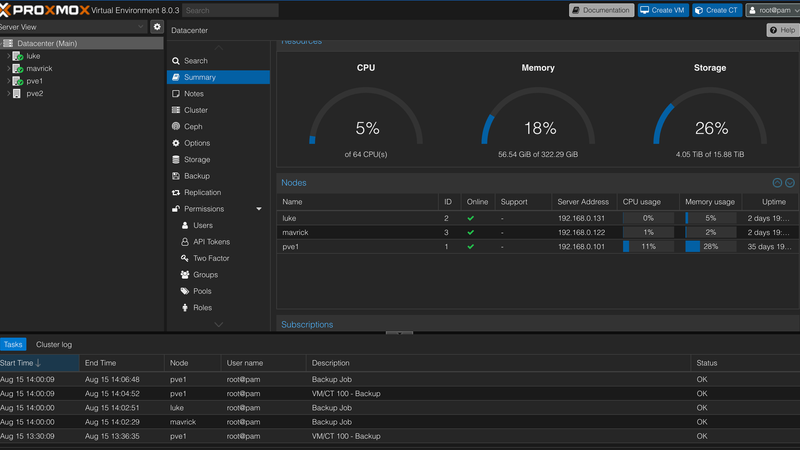
Proxmox Virtual Environment is an open-source virtualization platform that combines two powerful technologies: virtualization and containerization. With Proxmox, you can efficiently manage virtual machines and containers in a single, unified interface. Let’s explore the basics of Proxmox and its capabilities.
What is Proxmox Virtual Environment?
Proxmox Virtual Environment (Proxmox VE) is a complete solution for virtualization and container management. It allows you to run and manage virtual machines, Linux containers, and even perform live migrations across physical hosts. Proxmox VE provides an integrated web-based management interface, making it user-friendly and accessible.
Key Features
1. Virtualization and Containerization
Proxmox VE supports two virtualization technologies: KVM (Kernel-based Virtual Machine) for full virtualization and LXC (Linux Containers) for lightweight containerization. This versatility enables you to choose the most suitable technology for your workloads.
2. Web-based Interface
The web-based management interface simplifies the management of your virtualization environment. You can create, configure, start, stop, and migrate virtual machines and containers using a browser.
3. High Availability (HA)
Proxmox VE offers high availability features to ensure the continuous operation of your virtualization environment. If a host fails, virtual machines can be automatically moved to other hosts without downtime.
4. Backup and Restore
Backup and restore mechanisms are crucial for data protection. Proxmox VE provides built-in tools for creating snapshots and backups of your virtual machines and containers, helping you recover quickly from unexpected incidents.
5. Centralized Storage Management
Proxmox VE supports various storage technologies, including local storage, NFS, Ceph, and more. This flexibility allows you to configure storage according to your requirements.
6. Clustering
You can create clusters of Proxmox VE hosts for improved scalability and resource utilization. Clusters enable easy distribution of virtual machines and containers across multiple hosts.
Getting Started with Proxmox VE
-
Installation: Begin by installing Proxmox VE on a physical server. The installation process is straightforward, and Proxmox VE offers a downloadable ISO image for installation.
-
Initial Configuration: After installation, access the web-based management interface to configure network settings, storage, and other options.
-
Creating Virtual Machines and Containers: Use the management interface to create and configure virtual machines and containers. You can choose between KVM virtual machines and LXC containers based on your needs.
-
Networking: Configure networking for your virtualization environment. You can set up bridges, VLANs, and other networking components through the web interface.
-
Backup and Restore: Set up regular backups for your virtual machines and containers. Proxmox VE allows you to schedule backups and restore them when needed.
-
High Availability: If you’re working with critical workloads, consider configuring high availability to ensure seamless operation in case of host failures.
Conclusion
Proxmox Virtual Environment offers a powerful and flexible solution for managing virtual machines and containers. Whether you’re a developer, IT administrator, or enthusiast, Proxmox VE provides an integrated platform to efficiently deploy and manage your virtualization workloads. By combining virtualization and containerization technologies in a user-friendly interface, Proxmox VE simplifies the management of complex environments and empowers you to take control of your infrastructure.
To get started with Proxmox VE, visit the official website and explore the possibilities
Comments

About Blake Maxwell